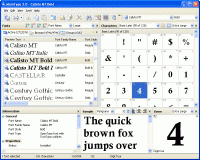
MainType is a powerful but easy to use font manager and font viewer, that takes the frustration out of managing your fonts. You can use it to install, uninstall, preview and group your fonts, print reports, reveal detailed font information and more.
This font manager has all the tools you need to take control of your fonts. It includes advanced features for graphic designers and typographers as well as basic features for users who just want to view and install fonts. The software provides immediate system-wide font synchronization, with no need to refresh font lists or reboot the computer after installing fonts. The font manager contains a font information pane that reveals important typographic data and a groups pane that helps you quickly organize all your fonts. Nice touches are drag and drop support and the ability to insert characters into background applications.
MainType works with TrueType, OpenType, TrueType Collections, Postscript Type 1, vector and raster fonts. You can preview and browse fonts on any drive, before installing them. MainType supports all seventeen planes defined in the Unicode character database and displays all characters grouped in Unicode blocks. MainType allows you to generate an HTML-based overview of any of your fonts, print outstanding reports and export font information to clipboard and text.
Whether you're a business person who needs to find the best fonts for your flyers and brochures, a home user who wants to take control of the hundreds of fonts on your system, or a graphic designer or typographer who needs the power of an advanced font management system, MainType makes it fun to find, preview, organize, install, and print your fonts. Whats new in version 7.0.0.1032: This release contains several new features and enhancements, including the ability to type preview text into the Font drop-down list, a character zoom popup window, more predefined font variables, and cosmetic improvements to the interface. Requirements: 16 MB of free disk space Operating system: Windows XP / XP 64 bit / Vista / Vista 64 bit / 7 / 7 64 bit / 8 / 8 64 bit Release notes: Minor Update
X-Fonter is an advanced font manager and font viewer for Windows that supports all font types. The clear font previews make selecting the right font an easy task. You can also organize your fonts into custom collections and print font overviews.
Price: $35, Rating: 10, Downloads: 66 Download
Compilation of 12 Germanic Runic fonts and a Gothic font by various authors.Junicode and IPA fonts included.A complete Trye Tupe Font collection for medieval Germanic paleographic studies.
Price: $0, Rating: 2.5, Downloads: 50 Download
Sib Cursor Editor is a power-packed means for creating images of cursors of your own. You'll be able to create and edit static/animated cursors. A multitude of special effects will give cursors as much eye-candy as you wish!
Price: $29.95, Rating: 7, Downloads: 45 Download
Condensed realist sans serif font with an organic feel. Like Univers Condensed. A clear typeface that's legible from great distances or close up. Fit more text into restricted spaces without losing legibility.
Price: $12, Rating: 10, Downloads: 43 Download
HVDOSBox is a Windows' screen font for Console mode and DOS boxes. It provides more readable text and more point sizes allowing windows to be sized to match the monitor.
Price: $24.00, Rating: 9, Downloads: 43 Download
User Rating
Rating:2.2 out of
5 Based on13 ratings.
13 user reviews.

 MainType 7.0.0.1032 details